Ethernet and mouse/keyboard slots do not work

I recently bought a CKS202-P23-JPBK, that is advertised to support Mac devices.
I use 2 macbook pro.
I created a ticket 12 days ago with no answer.
But I have 2 issues:
1. Ethernet does not seem to working from RJ45 port
a) When using a USB hub with ethernet port (on USB SS port), it works automatically
b) Plugging to KVM ethernet port does nothing
c) In `System Settings > System Report > USB` I can see that the slot is recognized by system
2. USB slots for keyboard and mouse does not work for magic keyboard
a) I understand that hotkeys (to change PC selection) do not work, that is OK
b) But the keyboard does not work at all
c) When using a USB hub (on USB SS port), it works automatically
-
正式なコメント

Hi ,
Thank you for reaching out, and we sincerely apologize for the delay in responding to your support ticket. We appreciate your patience and would like to help you with both issues:
1. Ethernet Port Not Working on CKS202-P23-JPBK
To investigate this further, could you please check the MAC address of the Ethernet adapter as recognized by your Mac when connected to the KVM's RJ45 port?
You can find it in:- Go to "Apple Menu" > "About This Mac" > "System Report".
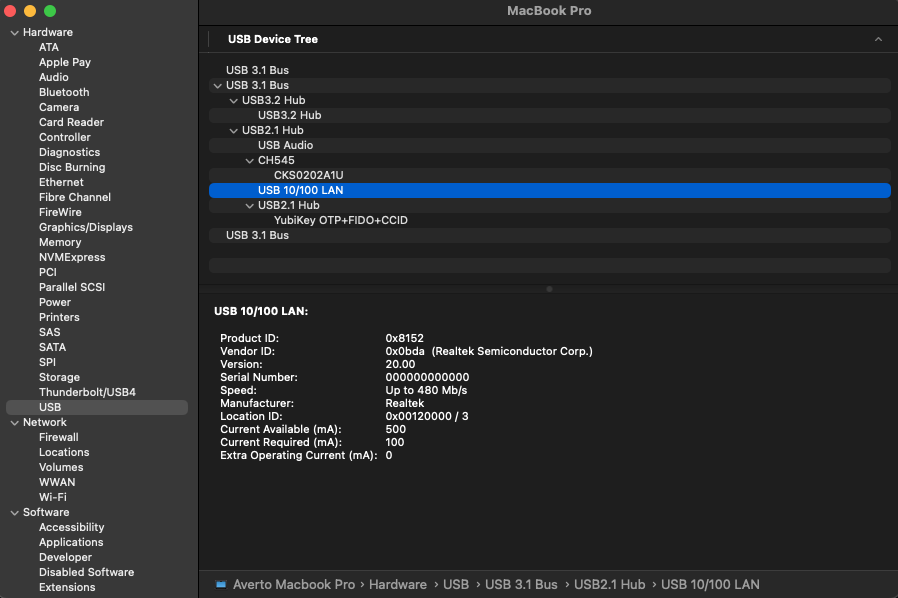
- In the "System Information" window, under the "Hardware" section, click on "USB".
- Look for the USB 10/100/xxxx in the list and please take a screenshot of this page.
- Open "System Preferences" -> "Network"
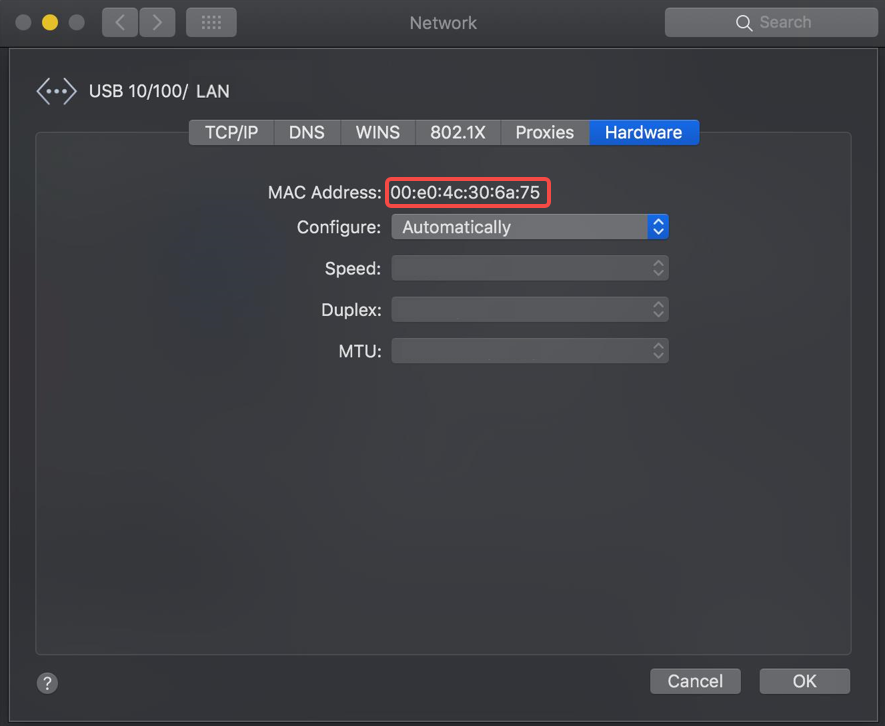
- In the list of devices, select the USB 10/100/xxxx, then click "Advanced"
- In the window the opens, click on the "Hardware tab"
- There is the MAC address listed. Please take a screenshot of this page for further analysis.
2. Magic Keyboard Not Working via Dedicated KM Ports
The Magic Keyboard is currently not fully compatible with the dedicated keyboard/mouse USB ports on this KVM model, which affects both typing input and hotkey functionality.
However, as you've already discovered, the keyboard will work properly if connected to the USB 3.0 (USB SS) port — though hotkeys will not be supported in that configuration.If hotkey switching is important to your setup, we recommend using a standard wired USB keyboard from a compatible brand.
Please feel free to reply here or to your original support ticket with the requested MAC address, and let us know if you have any further questions — we’re happy to assist!
Best regards,
-
Hi,
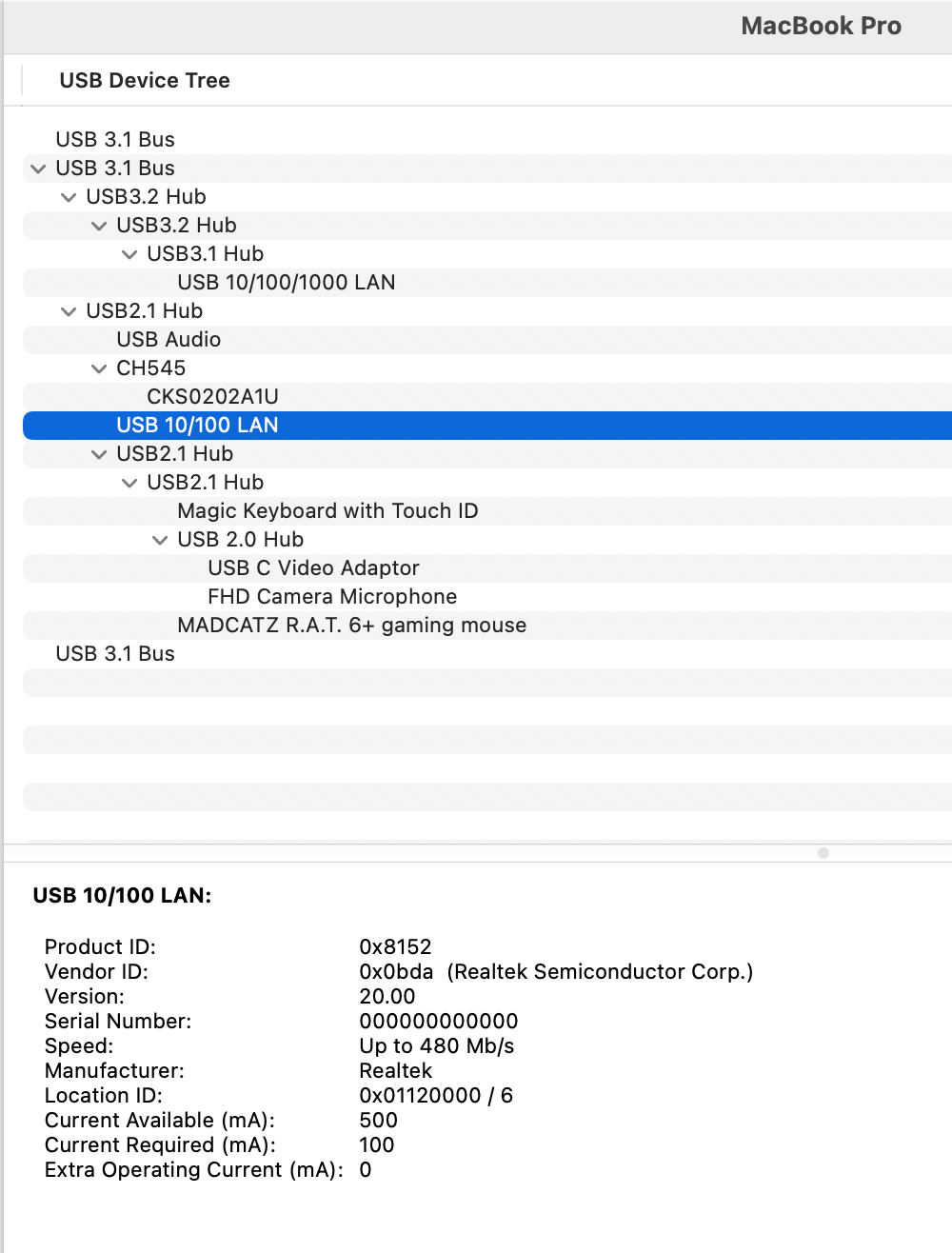
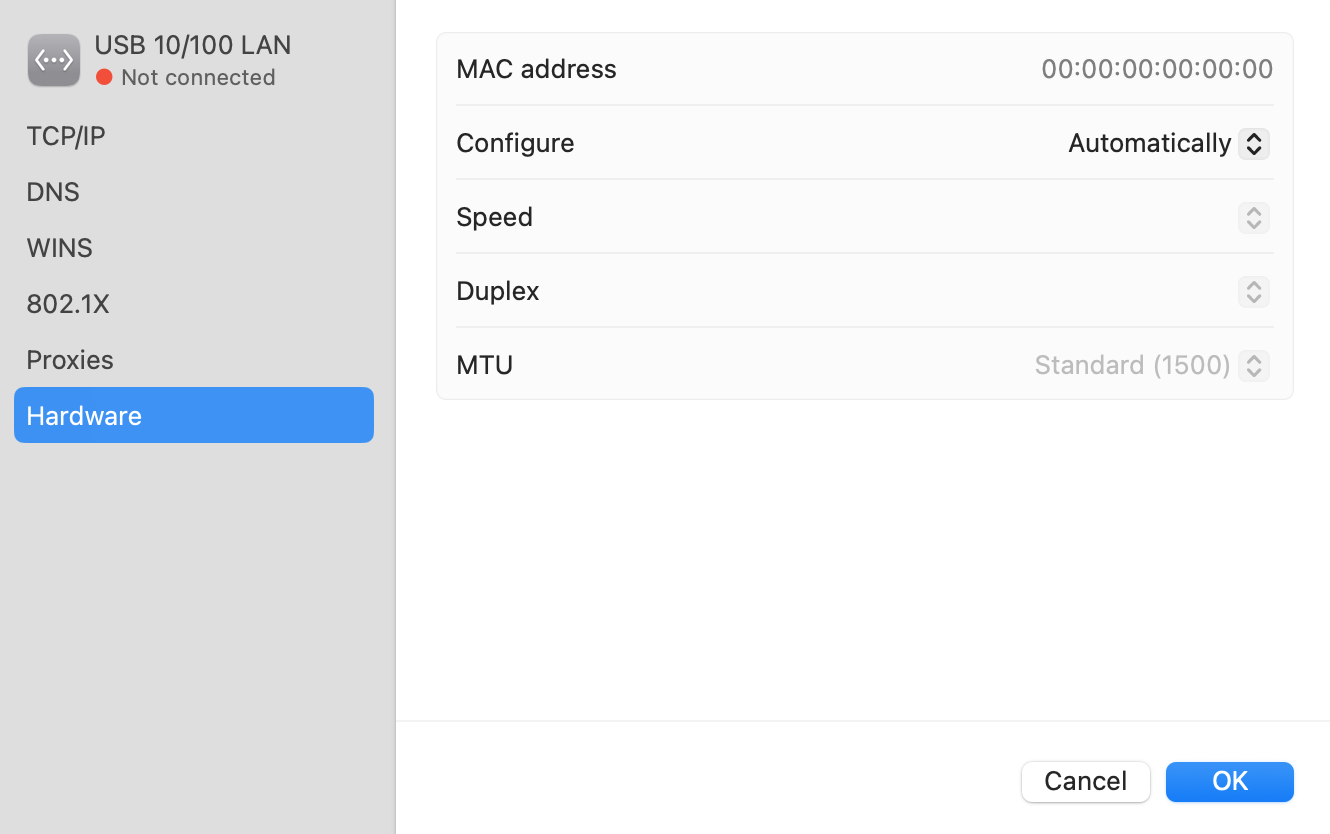
Thank you for you answer, here are the screenshots
Mac address screenshot is taken with ethernet cable connected to KVM port.
Thank you
0 -
Hi,
Thank you for providing the network configuration screenshot. Based on our analysis, the issue may be caused by an abnormal MAC address of the USB network adapter on the KVM device.To help you quickly restore normal functionality, please click the link below to view the SOP and download the MAC address reprogramming tool.
If you encounter any issues during the process, feel free to contact us at any time. We are here to provide full support.
Thank you for your understanding and cooperation.
Best regards,
0
サインインしてコメントを残してください。
コメント
3件のコメント